[07] Invoice Experience
Improving the invoice experience
Rethinking how freelancers and SMBs create, send, and track invoices. Making the end-to-end billing flow faster, clearer, and built for cross-border payments.
(01) Overview
Invoicing is how Sorbet's users get paid
For freelancers and SMBs using Sorbet, invoicing isn't a nice-to-have. It's the primary way they request and receive payments from clients. The invoice flow needed to handle cross-border complexity like multiple currencies, stablecoin settlement, and varying payment rails while feeling as simple as sending a text. Every extra step or unclear label was a reason for a client not to pay.
(02) The problem
The existing invoice flow was built for launch, not for daily use
The MVP invoice experience shipped with the minimum viable set of fields and flows. It worked, but users were hitting friction in key areas. There was no way to set up recurring invoices, the table lacked clear indicators for amounts received, and the overall flow didn't support the way freelancers and SMBs actually bill.
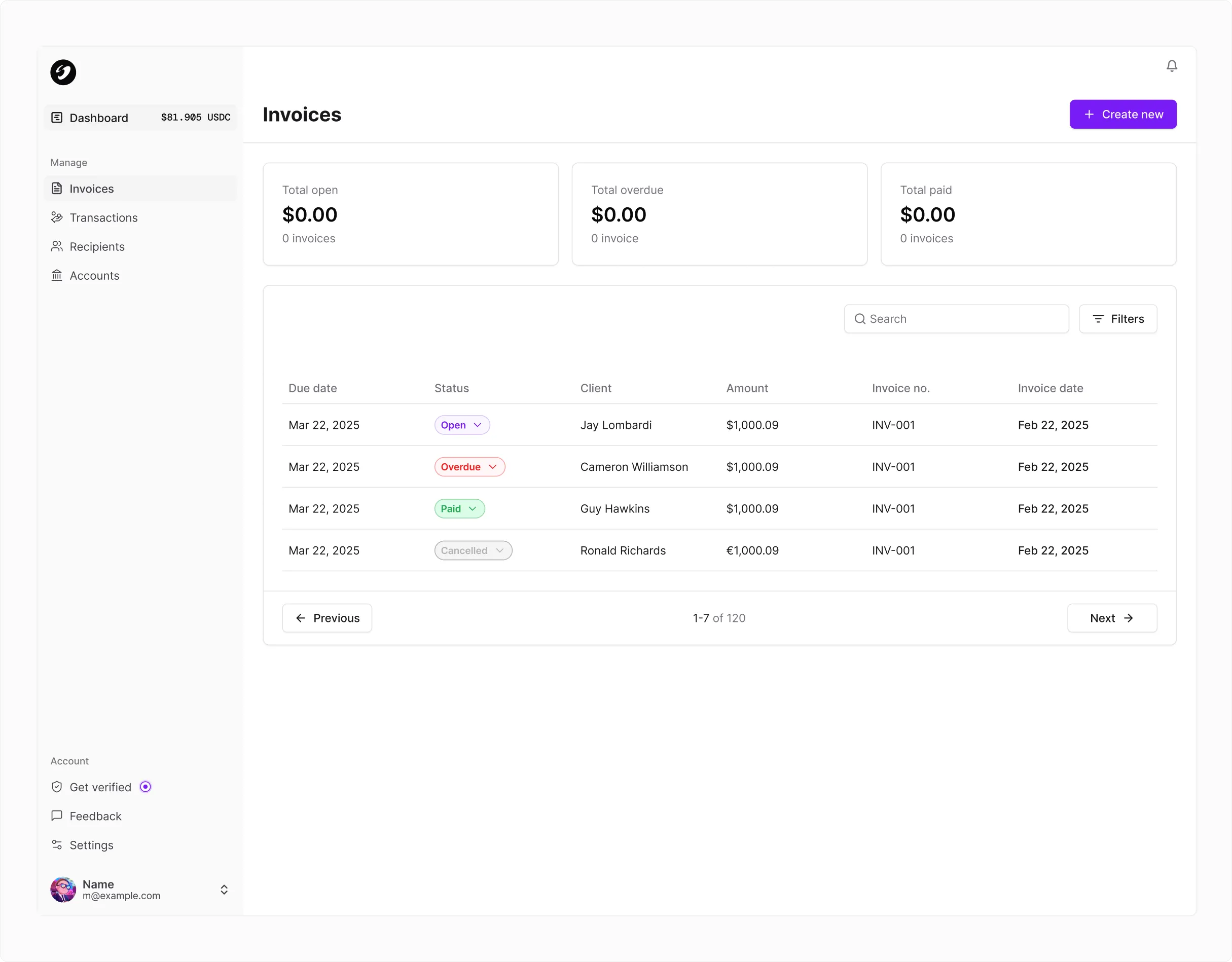
- 01No recurring invoicesUsers could only create one-time invoices. There was no option to set up recurring billing for retainer clients or subscription-based work.
- 02No amount received flagsThe invoice table had no visual indicators showing how much had actually been received against each invoice, leaving users to manually track partial payments.
- 03Limited invoice typesNo distinction between one-time and recurring invoices meant users couldn't tailor their billing to different client relationships.
(03) Research
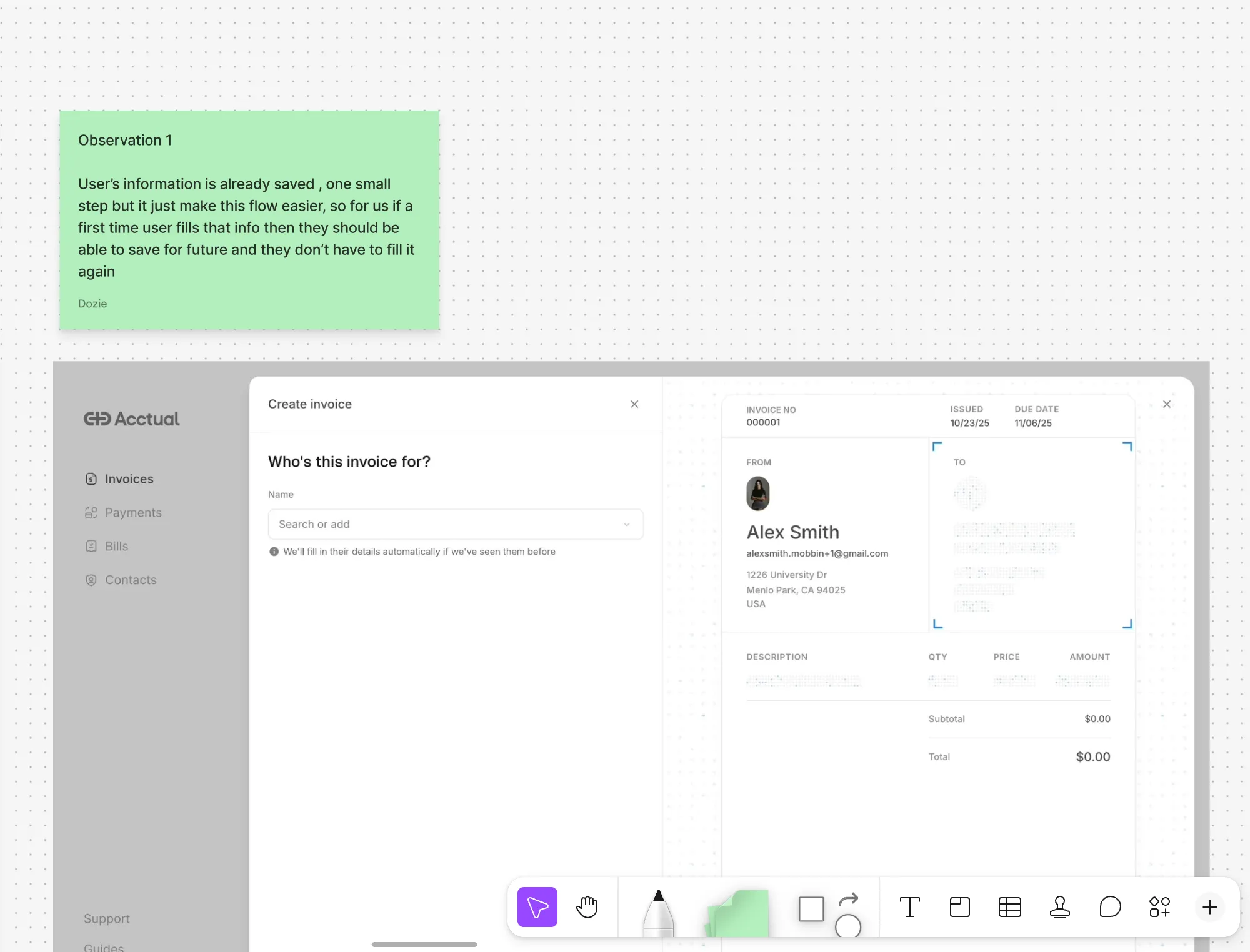
We looked at how Stripe, Acctual, and Wallex handle invoicing
We benchmarked against established invoicing tools like Stripe, Acctual, and Wallex, analysing how each structured their invoice creation and payment flows. Some of the gaps in our own experience became clear:
- 01Invoice type selectionCompetitors let users choose the type of invoice upfront: one-time, recurring, or milestone-based. Our flow had no such distinction.
- 02Currency controlUsers could expressly choose the currency they wanted the invoice to be denominated in. Our flow defaulted without giving control.
- 03Payment previewProper details on the preview showed exactly how the client would pay the invoice. Payment method, amount in their currency, and settlement details were all visible upfront.
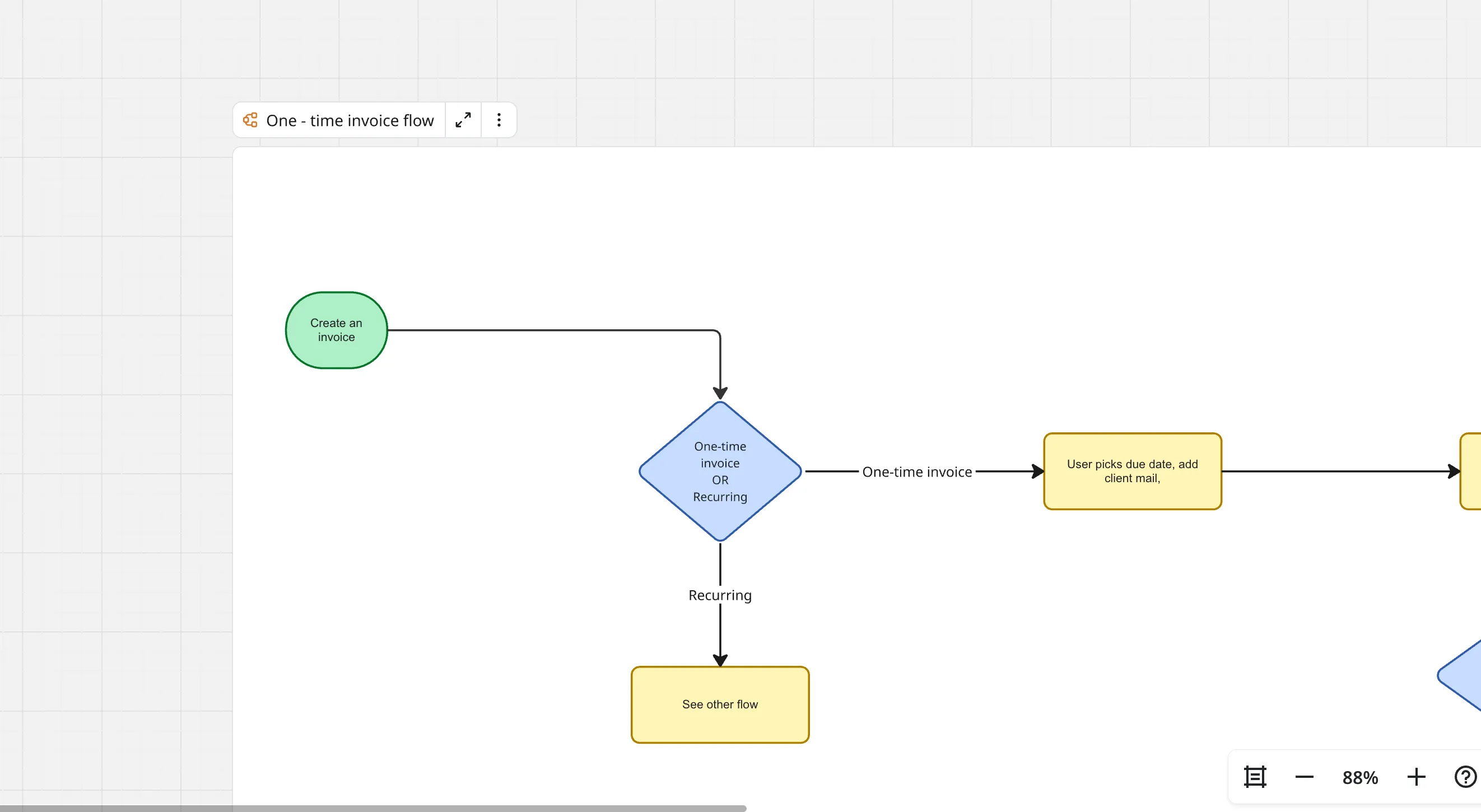
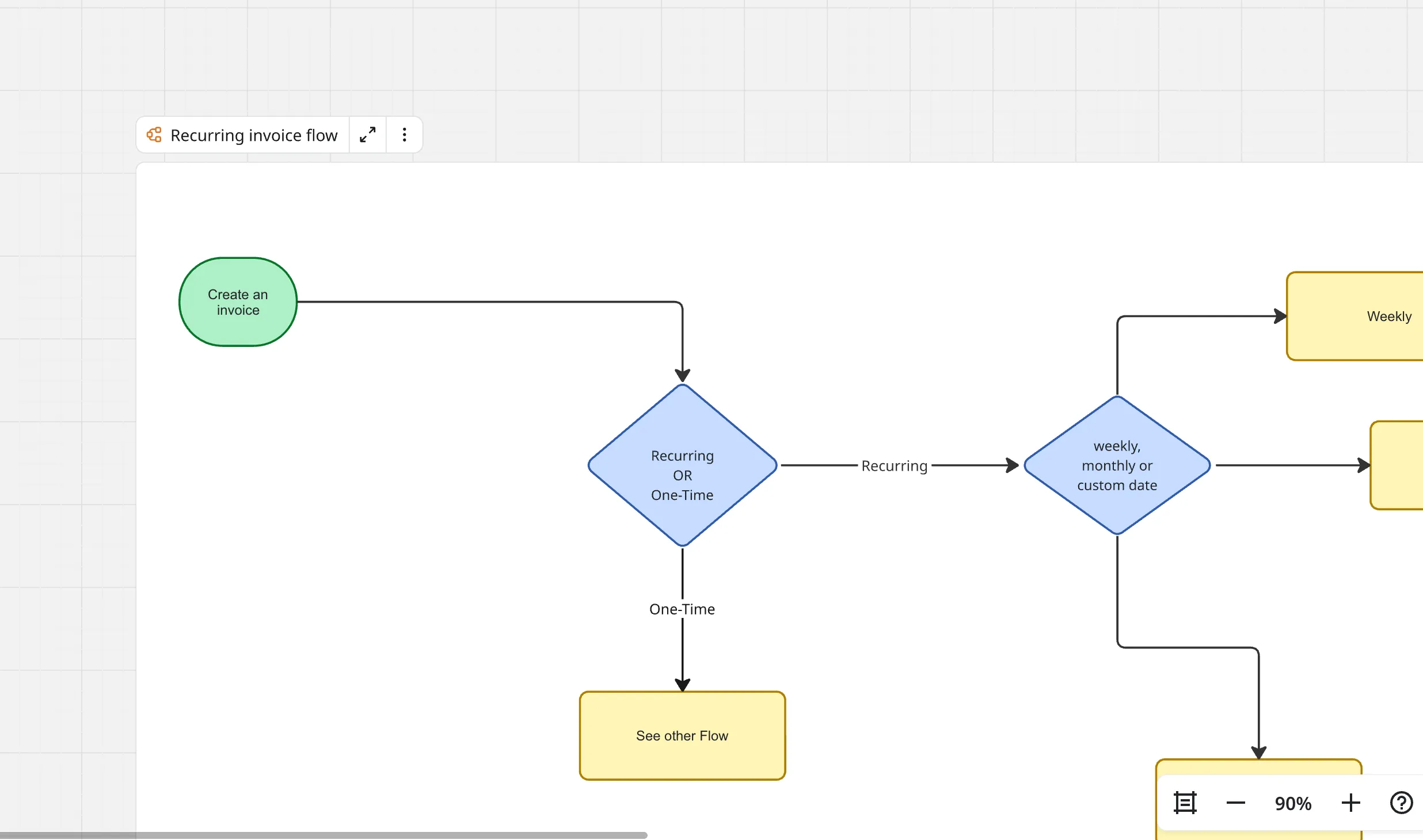
I mapped out the invoice flows to cover both paths, one-time and recurring. The flows branch early based on invoice type, with each path handling its own set of inputs before converging at the preview and send steps.
(04) Solution
An invoice flow that feels fast, clear, and built for repeat use
The redesigned experience focuses on three things: speed of creation, clarity of status, and transparency for the recipient. Invoices can be created in under a minute with smart defaults. A clear status pipeline shows draft, sent, viewed, paid, and overdue states. And the recipient gets a clean payment page where they choose to pay via stablecoin or fiat, with local currency context so they know exactly what they're paying.
(05) Design system
Built a design system to keep things consistent as we scaled
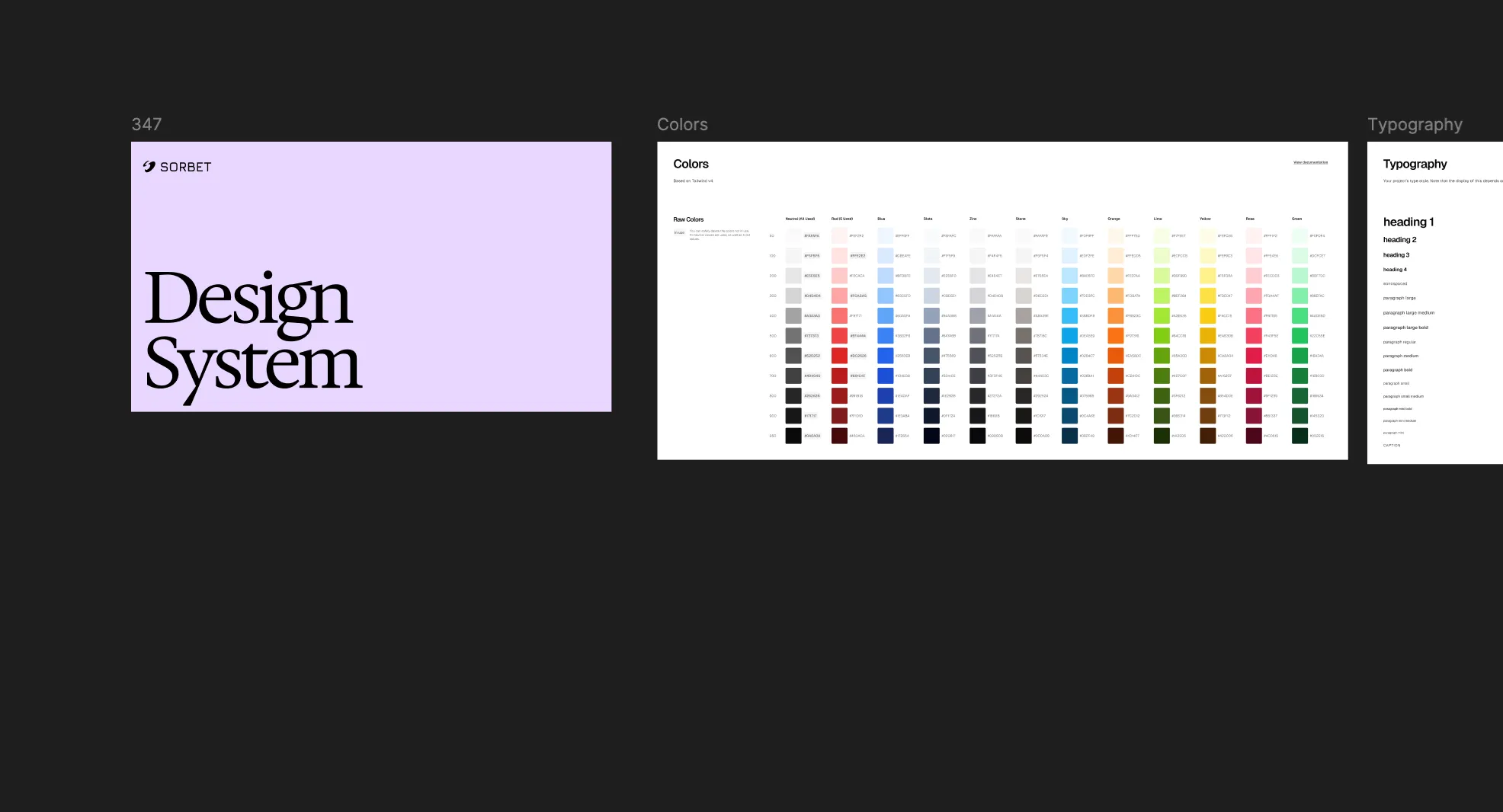
I created a shared component library with colour tokens, typography, spacing, and reusable patterns. This meant the engineering team could build new screens without guessing, and everything stayed visually consistent across the product.
(06) Impact
Faster invoicing, clearer status, fewer support tickets
The new invoice flow cut creation time significantly and gave users real-time visibility into payment status. Support tickets related to invoicing dropped, and the payment completion rate from recipients improved as the payment experience became clearer.
- 60%
- Faster creationAvg time to send
- 45%
- Fewer ticketsInvoice-related support
- 28%
- Higher completionRecipient pay rate
(07) Reflections
Invoicing sits at the intersection of two user experiences: the sender creating the invoice, and the recipient paying it. Designing for both audiences simultaneously meant every decision had a dual impact. A field that made the sender's life easier could confuse the recipient, and vice versa. The key was finding the right balance. Enough detail for the sender to feel in control, enough simplicity for the recipient to just pay.
Cross-border payments add a layer of complexity that most invoicing tools ignore. Currency conversion, settlement timing, and payment rail selection all happen behind the scenes, but the design needs to communicate enough about these processes to build trust without overwhelming the user with technical details.